WordPress Plugins I Use for Development(2026 Edition)
Building high-performance WordPress websites requires the right set of tools. Over the years, I’ve refined my workflow to include only the most reliable and efficient plugins that help me deliver fast, secure, and scalable websites.
In this blog, I’ll share the exact plugin stack I use in real-world projects and why each tool matters for modern web development.
If you’re a business owner or developer, this list will help you avoid common mistakes like installing too many plugins or choosing tools that slow down your website.
🚀 SEO Optimization Tools
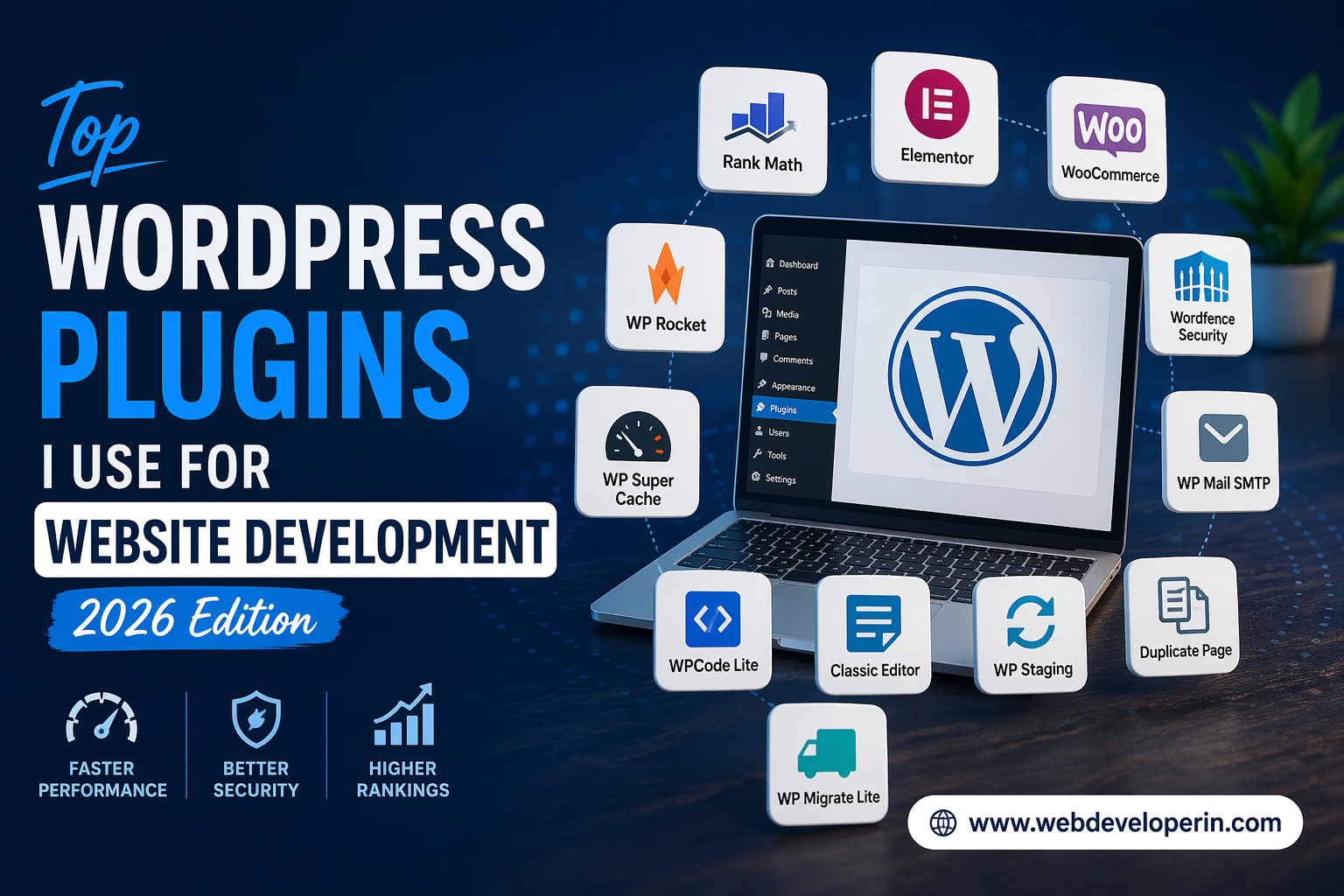
One of the most important plugins in my workflow is Rank Math SEO. It simplifies search engine optimization while offering advanced features without slowing down the site.
Why I use it:
- Advanced SEO analysis and suggestions
- Built-in schema markup support
- Integration with Google Search Console
- Lightweight and performance-friendly
SEO is not optional anymore, and using the right plugin ensures better visibility on search engines.
🎨 Design & UI Tools
Elementor is a core tool I rely on when building modern and responsive designs.
Why I use it:
- Drag-and-drop builder for fast design
- Responsive controls for mobile optimization
- Reduces development time significantly
It allows me to create professional websites without heavy custom coding.
🛒 eCommerce Development
WooCommerce is essential for building online stores.
Why I use it:
- Complete eCommerce solution
- Flexible product management
- Supports multiple payment gateways
- Scalable for growing businesses
It’s one of the most reliable ways to manage online stores in WordPress.
⚡ Performance & Caching
Speed is critical for both SEO and user experience. That’s why caching tools are a must in my development stack.
WP Rocket
A premium plugin I use for high-performance websites that need advanced optimization.
WP Super Cache
A simple and effective free caching solution for basic websites.
Why I use these:
- Faster page load times
- Improved Core Web Vitals
- Better overall user experience
🔒 Security Tools
Wordfence Security helps protect websites from common threats.
Why I use it:
- Firewall protection
- Malware scanning
- Login security and brute force protection
Security is not something you can ignore in modern web development.
📩 Email Delivery Setup
WP Mail SMTP ensures reliable email delivery.
Why I use it:
- Fixes WordPress email issues
- Supports Gmail, Outlook, and SMTP servers
🧩 Custom Code Management
WPCode Lite helps manage custom scripts safely.
Why I use it:
- Avoid editing theme files directly
- Safe and organized code insertion
📄 Content Editing
Classic Editor is useful for clients who prefer a simple interface.
🔁 Migration & Staging
WP Migrate Lite
Used for database migration between environments.
WP Staging
Helps create a staging environment for safe testing.
These tools reduce risks during updates and deployments.
📑 Productivity Tools
Duplicate Page helps speed up development workflows.
Why I use it:
- Quickly clone pages and posts
- Saves time
- Maintains consistency
The WordPress plugins I use for development are carefully selected based on performance, reliability, and real-world usage. Instead of installing too many plugins, I focus on using only the essential ones that deliver value.
By using the right WordPress plugins I use for development, you can build websites that are faster, more secure, and easier to maintain.
If you’re planning to build or upgrade your website, start with these WordPress plugins I use for development to achieve better results.
👉 Need help with your website?
Visit www.webdeveloperin.com and let’s build something powerful together.
❓ Frequently Asked Questions (FAQs)
1. How many plugins should a WordPress website use?
There’s no fixed number, but I recommend using only essential plugins. Too many plugins can slow down your site and cause conflicts. A well-optimized website can run smoothly with 8–15 high-quality plugins.
2. Are premium plugins like WP Rocket worth it?
Yes, premium plugins often provide better optimization, support, and features. For performance-critical websites, investing in a good caching plugin can significantly improve speed and user experience.
3. Can I use multiple SEO plugins together?
No, you should never use multiple SEO plugins at the same time. It can create conflicts and duplicate meta data. Stick to one reliable SEO plugin for best results.
4. Why is SMTP important for WordPress?
By default, WordPress may fail to send emails reliably. Using an SMTP plugin ensures your contact forms, notifications, and order emails are delivered properly.
5. Do I really need a staging plugin?
Yes, especially for business websites. A staging environment allows you to test updates, new features, or fixes without affecting your live website.